

Guides
Ad Creative Sizes and Formats: The 2026 Guide
Most ad platforms no longer reward a single fixed banner. They serve your creative across a feed, a vertical full-screen placement, a search or display slot, and a link-preview card, each with its own shape and its own rules about what gets cropped. This guide covers the sizes and aspect ratios that still matter in 2026, the safe zones that decide whether your message survives, and a way to design one idea so it adapts to every placement instead of breaking in most of them.
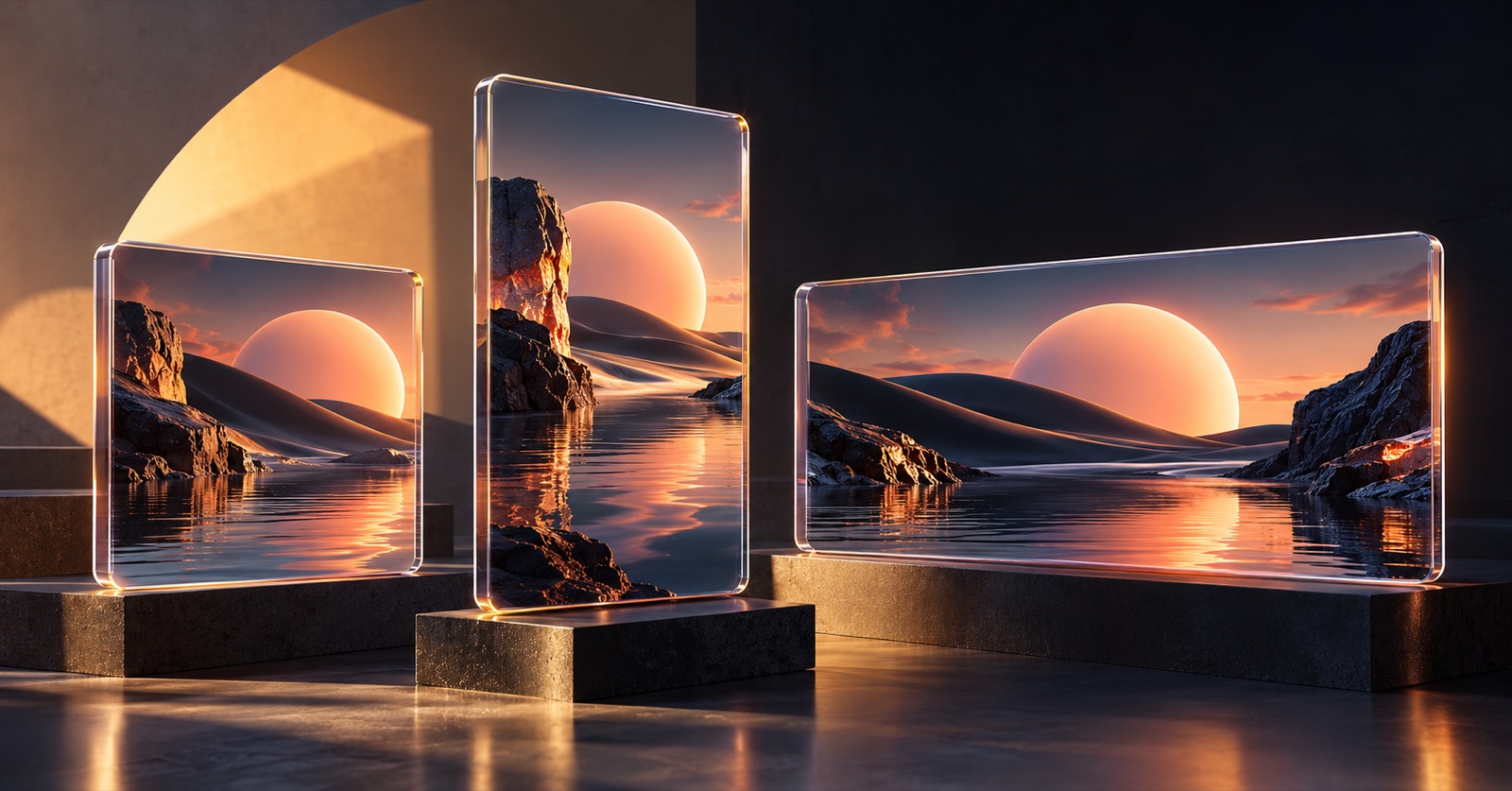
Aspect ratios matter more than exact pixel sizes
Platforms have converged on a small set of aspect ratios, and they resize your file to fit. What ruins a creative is almost never a few pixels of width; it is the wrong shape, so the subject gets cropped or the layout is left with dead space. Think in ratios first and treat exact pixel dimensions as a minimum-resolution question, not a design decision.
Four ratios cover the large majority of paid placements today. Square (1:1) and portrait (4:5) dominate feeds. Vertical full-screen (9:16) owns stories, reels, and short-form video. Landscape (16:9 and the close 1.91:1) covers in-stream video, display, and link-preview cards. If a creative exists cleanly in those four shapes, it can run almost anywhere.
Resolution still has a floor. Upload at the largest size the platform accepts for each ratio so it looks sharp on dense phone screens and never gets upscaled. A safe baseline is around 1080 pixels on the short edge, and more for full-screen vertical.
- Square 1:1, around 1080 by 1080, for feed placements
- Portrait 4:5, around 1080 by 1350, the tallest most feeds allow before cropping
- Vertical 9:16, around 1080 by 1920, for stories, reels, and short-form video
- Landscape 16:9 or 1.91:1, for in-stream video, display, and link cards
- Upload at or above the platform maximum so the file is never upscaled
The safe zone is where your message lives or dies
Every vertical placement puts interface on top of your creative. The profile name and caption sit near the bottom, the call-to-action button covers the lower band, and progress bars and icons crowd the top. Anything important in those regions gets hidden behind chrome the moment the ad goes live, however good it looked in your design tool.
Keep the headline, the product, the logo, and any key text inside the middle band. A practical rule for 9:16 is to leave roughly the top 10 percent and the bottom 15 to 20 percent clear of anything you need the viewer to read. Preview the ad inside the real placement before you approve it, because a centred focal point on your monitor can land squarely behind a username in the feed.
Square and portrait feed placements are more forgiving, but they still crop. A 4:5 image can be trimmed toward square on some surfaces, so keep breathing room around the edges and do not run text to the border.
- Leave the top 10 percent and bottom 15 to 20 percent of vertical creatives clear
- Keep the headline, logo, and product inside the central safe band
- Never set important text against the frame edge, since feeds crop inward
- Preview in the actual placement, not just your design canvas
Design one idea, then adapt it per placement
The mistake that wastes the most time is treating each size as a separate design job. The opposite mistake, exporting one master file and letting the platform auto-crop it, is worse: it forces a horizontal composition into a vertical frame and cuts the subject in half. The right approach sits in between. Design one concept, then rebuild it for each shape so the focal point, the text, and the negative space are right in every frame.
Start from the most constrained placement, usually 9:16, because if the idea works full-screen vertical with the safe zones respected, relaxing it into square and landscape is easy. Move the subject, re-flow the headline, and adjust the crop for each ratio rather than scaling one layout up and down.
This is the step where in-house teams stall, waiting on a design queue to produce the same concept five times. Aduarius is built for it: you write one brief, pick a built-in visual style, and generate the creative, then reformat the version you like into square, vertical, and horizontal, each rebuilt for its shape rather than cropped. The idea stays consistent and the production time drops from days to minutes.
- Design the concept once, then rebuild it for each ratio
- Start from the tightest placement, 9:16, and relax outward
- Reposition the subject and re-flow the text per shape, do not just scale
- Avoid blind auto-cropping, which cuts subjects and breaks layouts
Match the format to the placement's intent
Shape is not only about fit; it signals where the viewer is and what they expect. A 9:16 full-screen video placement is immersive and often watched without sound, so it rewards motion, a fast hook, and captions. A 1:1 or 4:5 feed image competes with organic posts, so it rewards a clear single message and a strong first-glance read. A 1.91:1 link card is a small preview, so the image has to carry recognition while the headline does the selling.
Static and video are not interchangeable across these slots. Vertical video placements strongly favour movement in the first second, while feed placements can still work hard as a single strong still. Plan the creative for how the placement is actually watched, not just for its dimensions.
- Full-screen vertical: motion, a one-second hook, and captions for sound-off viewing
- Feed square and portrait: one clear message and a strong first-glance read
- Landscape link cards: a recognisable image while the headline sells
- Do not drop a static feed image, unchanged, into a video-first placement
A simple asset checklist per campaign
For most paid social campaigns you need a small, predictable set of exports, not dozens. Producing that set for every concept you test is what keeps a testing programme moving. Build the checklist once and reuse it so nothing ships missing a placement.
Keep file sizes reasonable and formats standard. Most platforms prefer widely supported image and video formats and cap file size, so a modest, well-compressed export avoids upload rejections and slow loads.
- One square (1:1) and one portrait (4:5) for feeds
- One vertical (9:16) for stories, reels, and short-form
- One landscape (16:9 or 1.91:1) for in-stream, display, and link cards
- Each with the headline inside the safe zone, not baked against an edge
- Standard formats and compressed file sizes to pass upload limits
Frequently asked questions
What ad creative sizes do I actually need in 2026?
For most paid social, four shapes cover you: square 1:1 (about 1080 by 1080), portrait 4:5 (about 1080 by 1350), vertical 9:16 (about 1080 by 1920), and landscape 16:9 or 1.91:1. Think in aspect ratios rather than exact pixels, and upload at or above the platform maximum so nothing is upscaled.
What is a safe zone and why does it matter?
A safe zone is the part of the frame that platform interface does not cover. On vertical placements, usernames, captions, and the call-to-action button sit near the edges, so anything important there gets hidden once the ad is live. Keep the headline, logo, and product inside the central band, roughly clear of the top 10 percent and bottom 15 to 20 percent on 9:16.
Can I upload one image and let the platform resize it?
You can, but it usually hurts performance. Auto-cropping forces one composition into every shape and often cuts the subject or leaves dead space. It works better to design the concept once and rebuild it for each ratio so the focal point and text are right in every frame.
Should feed and story creatives be different?
Yes. A feed square or portrait works as a strong single still with a clear message. A full-screen vertical story or reel is immersive and often silent, so it favours motion, a fast hook, and captions. Same idea, different execution for how each placement is watched.
How does Aduarius help with multiple ad sizes?
Aduarius generates the creative from one brief and then reformats the version you like into square, vertical, and horizontal, each rebuilt for its shape rather than cropped. You get a consistent idea across placements without producing every size by hand, which is usually the slow step in a testing loop.